Welcome back! In this article, you will learn about one more tip that can be used while exploiting cross-site scripting.
Before getting started, ensure your Kurukshetra lab is up and running. Feel free to refer back to the below link.
XSS Explained - Learn Cross-Site Scripting with Examples

XSS Challenge Walkthrough
Once your Kurukshetra XSS lab environment is up and running, Visit http://localhost:8066 and navigate to “XSS Challenge 14“.
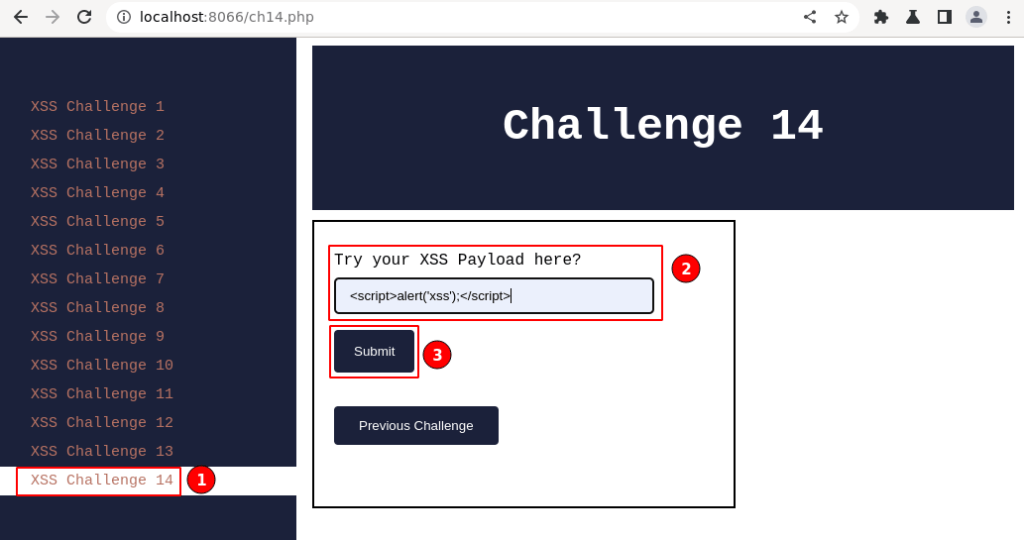
The above input field labeled “Try your XSS payload here?” is displayed.
Key info is in the classic XSS payload, which has been used throughout while testing for XSS, and click on the “Submit” button.
XSS Payload

Output:
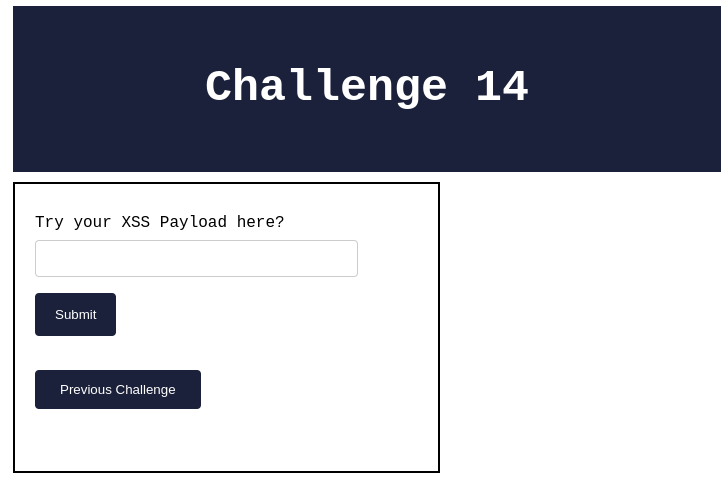
The application doesn’t display any info on the page. Right-click and
select “View page source” to analyze how the appended payload got
reflected in the HTML response.
Viewing HTML Source

In the above output, the javascript “alert()” function is missing.
Let’s go ahead and give it a try with an HTML body tag-based XSS payload
to confirm if the “alert()” function is being filtered in the script
tag itself or from all inputs.
XSS Payload 2

HTML Source Output:

From the above output, it can be confirmed that the JavaScript
“alert()” is being filtered out in all the inputs given.
In the current scenario, the JavaScript function “alert()” is
commonly used by attackers to execute arbitrary code. This type of
blacklisting approach used to prevent XSS attacks involves identifying
and blocking specific strings or functions that could be used by
attackers to inject malicious code into a web application.
The major drawback of this approach is the developers need to update the impactful functions/commands to the blacklist continuously.

By removing or disabling these functions, web developers hope to prevent attackers from exploiting XSS vulnerabilities in their applications. However, this approach is often ineffective, as attackers can simply use alternative methods to execute their payloads, such as using “confirm()”, “prompt()”, “console.log()” or constructing their own functions.

Demo – XSS Challenge 14
For the following demo, we will be using the JavaScript “confirm()”
function.
The “confirm()” function in JavaScript is a built-in method that
displays a dialog box with a message and two buttons: “OK” and
“Cancel”. It is often used to prompt the user for confirmation
before performing a potentially destructive action, such as deleting
data or navigating away from a page.
I will go ahead and replace the “alert()” function with the
“confirm()” function and update our XSS payload accordingly.
Confirm XSS Payload

Now, let’s go ahead and input the above XSS payload in the “XSS Challenge 14” page.
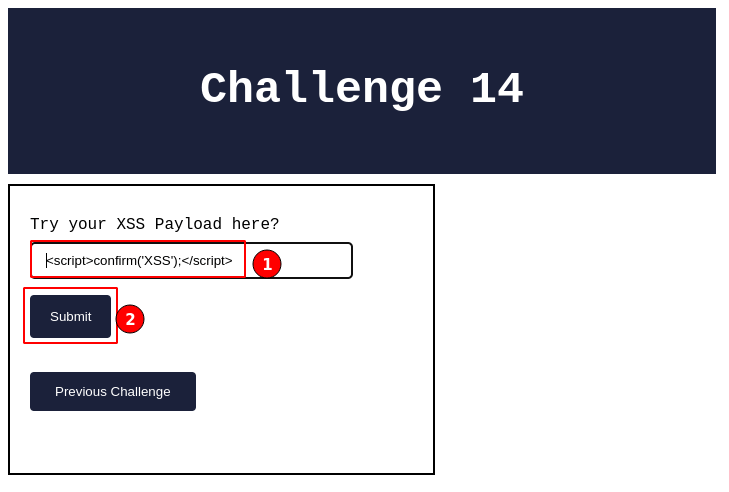
Immediately after clicking on the “Submit” button, a pop-up message will be displayed, as shown below.
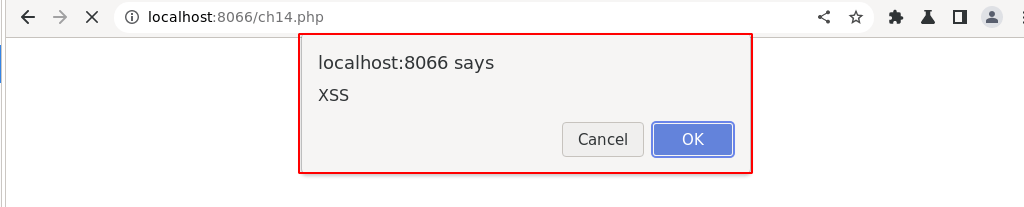
The above screenshot demonstrates the javascript “confirm()” prompt.
Which looks very similar to the “alert()” dialog box with the added
button “Cancel” as a difference.
This also confirms that the application is vulnerable to cross-site scripting vulnerability.
To verify further, click on the “OK” button in the dialog prompt, right-click, and select “View page source”.
Viewing HTML Source
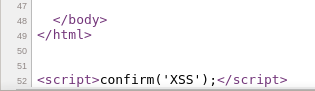
Observe the injected XSS payload is reflected in the HTML source and executed perfectly.
By this, we can confirm that XSS challenge 14 is successfully solved.

Summary
In this article, we demonstrated one of the impacts of the blacklisting
approach where the “confirm()” or other alternative javascript
functions can be abused by attackers in XSS attacks, as they can use it
to trick users into executing arbitrary code or disclosing sensitive
information.
To prevent XSS vulnerabilities in web applications, it’s important to validate and sanitize all user input and implement appropriate content security policies.

Congratulations to all our readers who completed the learning XSS with the Kurukshetra series! I hope that you enjoyed our vulnerability series and learned a lot in the process. If you’d like to learn more or have any feedback or suggestions, please don’t hesitate to reach out. We’d love to hear from you!