Welcome back! I hope by now you are familiar with what a CSP is and how a misconfigured CSP can lead to potential security vulnerabilities like cross-site scripting.
Before getting started, ensure your Kurukshetra lab is up and running. Feel free to refer back to the below link.
XSS Explained - Learn Cross-Site Scripting with Examples

XSS Challenge Walkthrough
Once your Kurukshetra XSS lab environment is up and running, Visit http://localhost:8066 and navigate to “XSS Challenge 13”.
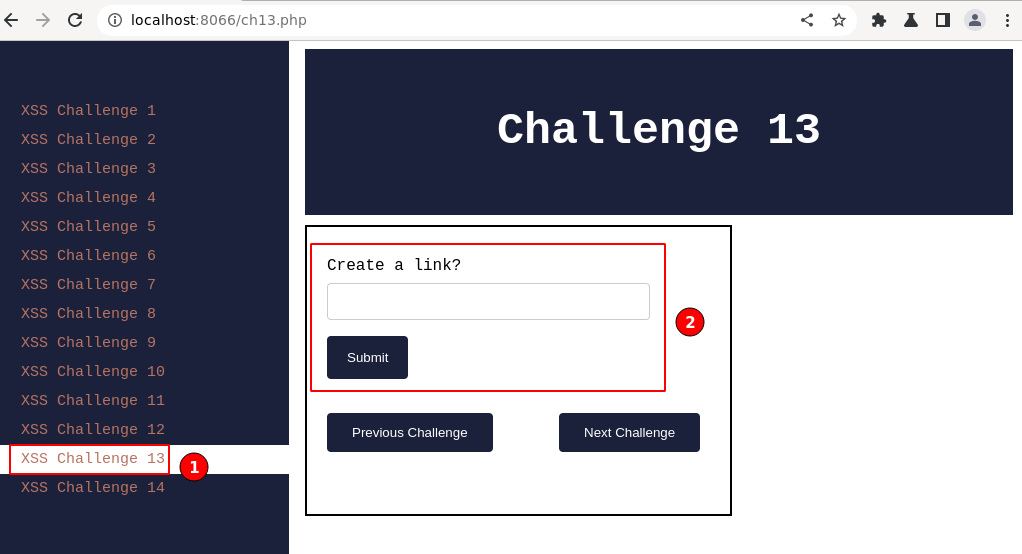
An input field labeled “create a link?” is displayed.
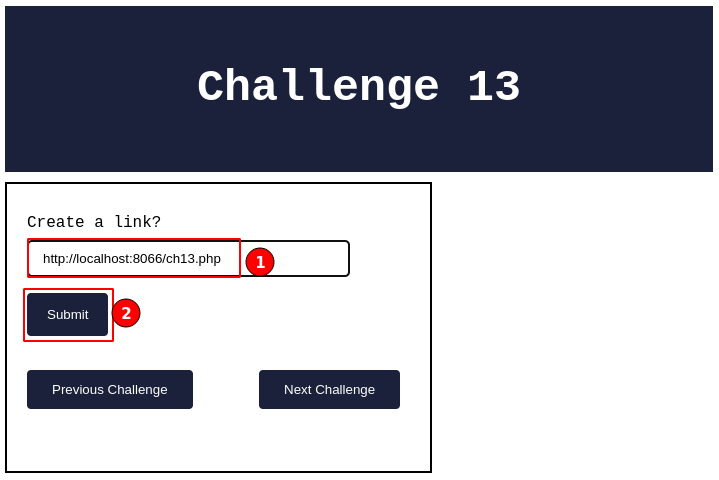
In the above input field, give a URL (say “http://localhost:8066/ch13.php“) to which you want the application to create a link for us.
Click on the “Submit” button.
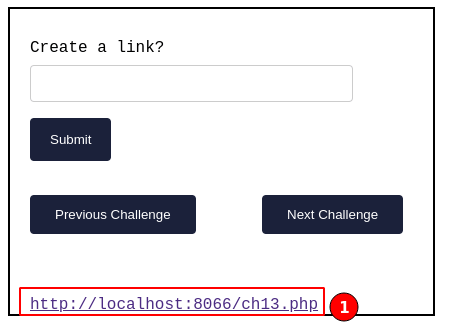
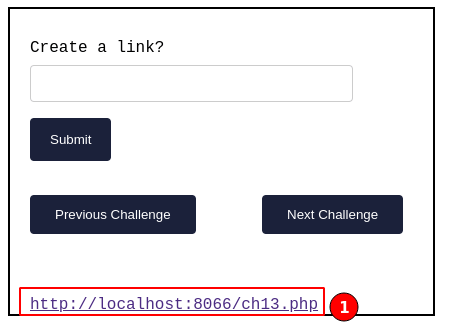
Observe the application generated an HTML link for the given URL
displayed above.
From the above application, we can understand that with any given input text, the application generates a clickable HTML link.
Feel free to try out all the XSS techniques learned so far. You should be able to solve this challenge right away. 😃

XSS in Anchor Tag
Going ahead, we will cover how the HTML anchor tag can be used to craft a customized XSS payload.
From the above HTML link generated, right-click and select “View page source“, then search for the appended text in the HTML response.

From the above screenshot, we can see the given input text is placed
between the “href” in an anchor tag, and the same text is placed
again as the name of the anchor tag.
Output:
I will go ahead and create a crafted XSS payload which is generally attackers used to trick victims into a trap.
XSS Anchor Payload

Breaking down the above XSS payload in detail:
- Leaving the “
href” tag empty without a link and closing it with another pair of double quotes to ensure HTML syntax is maintained. - The “
onclick” is an HTML5 attribute used within HTML tags that specifies a JavaScript function to be executed when the user clicks on the element. In this case, the function being executed is “alert(‘xss')“, which displays the alert dialog with the message “xss“. - “Click for XSS POC” a text message will be displayed for the anchor tag.
- Closing the HTML anchor tag with “
</a>“. - The start of the HTML comment with “
<!–” then comments out all the code after this is parsed as text with no special meaning.
Overall the above XSS payload creates a clickable element that, when
clicked, will execute a JavaScript alert dialog with the message
“xss“.

XSS Demo
Go ahead and give it a try with the above-crafted XSS payload.
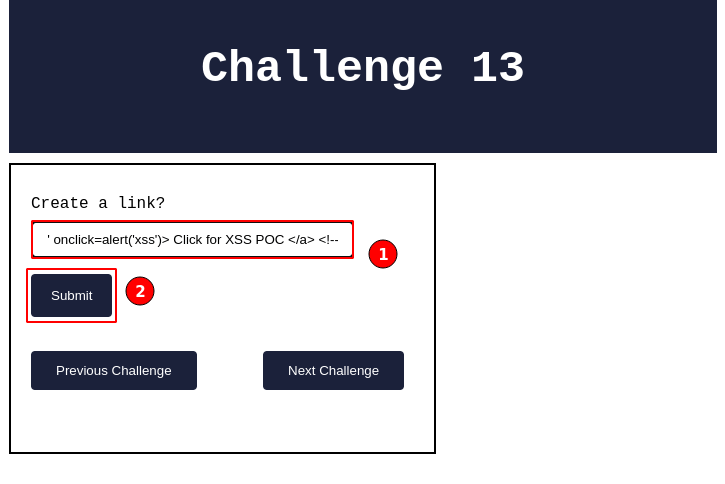
In the above screenshot, key in the XSS payload and click on the “Submit” button.
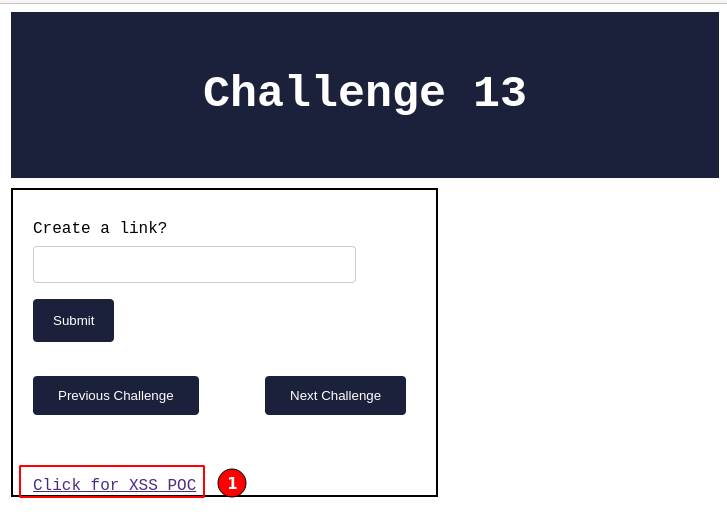
From the given payload, the application generates an HTML link and displays it, as shown above. Now click on the “Click for XSS POC“.
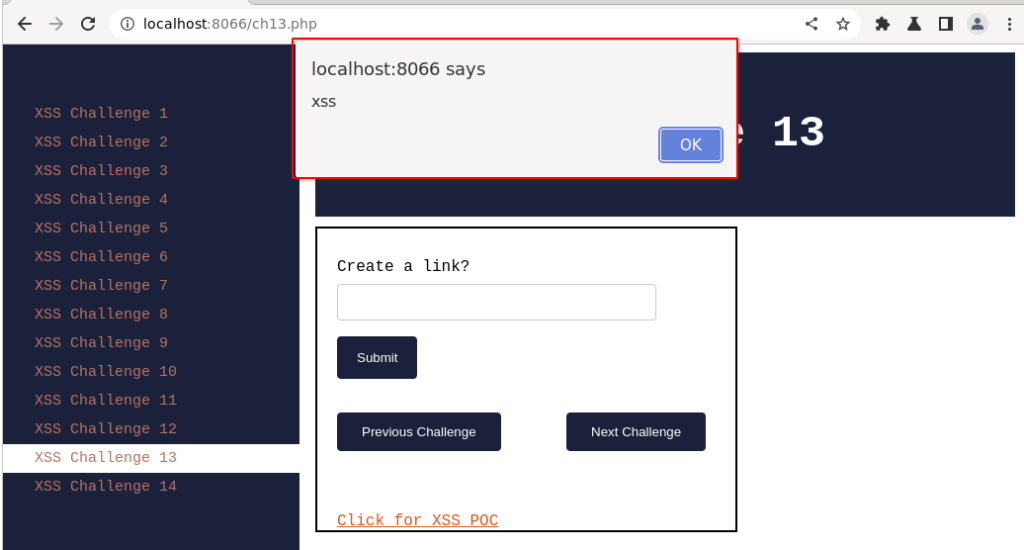
Immediately, a pop-up box is loaded, and a message named “xss” is displayed. Thus, we have solved XSS challenge 13.
Note: One of the many techniques is covered here. The XSS payload can be crated in multiple other ways as well.
Lastly, right-click and select “View page source” to understand how it’s reflected back in the HTML response.

From the source code, the XSS payload is appended inside the anchor tag,
and all the HTML code is commented out after the anchor tag.
As mentioned above, the XSS payload allows the attacker to execute arbitrary JavaScript code on the victim’s browser when the element is clicked. This can result in the theft of sensitive information, such as session cookies or user credentials, or the takeover of the victim’s account.
By this, we have successfully solved the XSS challenge 13.

Summary
The following article demonstrates how the customized XSS payload allows an attacker to execute arbitrary JavaScript code.
The code also includes an HTML comment “<!--”, an attempt to prevent
the malicious code from being easily detected. This technique is known
as “comment hiding”, and attackers often use it to obfuscate their
payloads and evade detection.
To prevent XSS attacks, input validation and output encoding should be applied, and a Content Security Policy can also be used to mitigate the risk of the above XSS vulnerability.